10 Ways to Repurpose Instagram Content for Other Platforms
iSaver Team
Why Repurposing Content Matters
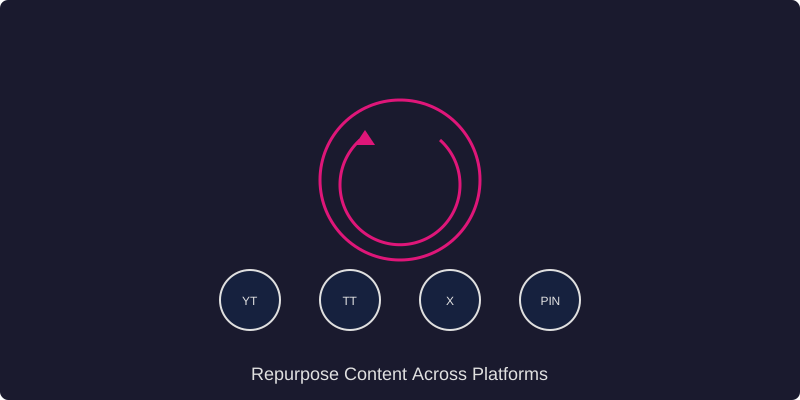
Creating quality content takes time and effort. Instead of creating unique content for every platform, smart creators repurpose their best-performing Instagram content across multiple channels. This approach saves time, maintains consistency, and reaches different audience segments on their preferred platforms.
Here are 10 proven ways to give your Instagram content a second life on other platforms.
1. Turn Reels into TikTok Videos
This is the most straightforward form of repurposing. Download your Instagram Reel using ReelStorySaver and upload it directly to TikTok. Make sure to remove any Instagram watermarks first, as TikTok may suppress content with competitor watermarks. Adjust the caption to fit TikTok's audience and add relevant TikTok-specific hashtags.
2. Convert Carousel Posts into Blog Articles
Instagram carousel posts often contain valuable information presented in a visual format. Take the key points from your carousel and expand them into a detailed blog article. This works especially well for educational carousels, step-by-step guides, and list-based content. The blog version allows you to add more depth and detail that you could not fit into the carousel format.
3. Use Reels as YouTube Shorts
YouTube Shorts is another massive platform for short-form video content. Download your best-performing Reels and upload them as YouTube Shorts. YouTube's algorithm often gives new Shorts significant exposure, making this an excellent way to grow a YouTube presence alongside your Instagram account.
4. Transform Stories into Pinterest Pins
Instagram Stories with strong visual appeal can be saved and repurposed as Pinterest Pins. This works particularly well for lifestyle, food, travel, and fashion content. Add keyword-rich descriptions to your Pins to improve their discoverability on Pinterest's search-driven platform.
5. Create Twitter Threads from Caption Content
Long-form Instagram captions can be broken down into Twitter/X threads. Take the key insights from your caption, restructure them into a thread format with numbered tweets, and add relevant hashtags. Threads tend to get high engagement on Twitter and can drive traffic back to your Instagram profile.
6. Compile Reels into YouTube Compilations
If you have a series of related Reels on a topic, download them all and compile them into a longer YouTube video. Add transitions, an introduction, and commentary between clips to create a comprehensive guide. This approach helps you create longer-form YouTube content without filming entirely new material.
7. Turn Instagram Photos into LinkedIn Posts
Professional and business-related Instagram content can be adapted for LinkedIn. Take your behind-the-scenes photos, achievement posts, or industry insights and pair them with more professional captions suited for LinkedIn's audience. Add personal anecdotes and business lessons to make the content resonate with a professional audience.
8. Use Story Highlights as Website Content
Your Instagram Story Highlights are essentially curated collections of valuable content. Download these stories and use them on your website as testimonials, product demos, behind-the-scenes content, or FAQ sections. This adds dynamic, authentic content to your website without creating anything new.
9. Convert Reel Audio into Podcast Clips
If your Reels include spoken content like tips, advice, or commentary, extract the audio and use it as podcast content. You can compile multiple audio clips into a podcast episode or use individual clips as promotional snippets to drive listeners to your full podcast episodes.
10. Create Email Newsletter Content from Top Posts
Your best-performing Instagram content reveals what your audience cares about most. Use these insights to create email newsletter content. Include your top-performing visuals, expand on the topics with additional details, and include links back to your Instagram for the full visual experience.
Best Practices for Repurposing Content
- Adapt, do not just copy: Each platform has its own culture and format preferences. Adjust your content to fit the platform rather than posting identical content everywhere.
- Maintain quality: Use tools like ReelStorySaver to ensure you are downloading and sharing content in the highest possible quality.
- Track performance: Monitor which repurposed content performs best on each platform to refine your strategy over time.
- Stay consistent: Keep your brand voice and visual style consistent across all platforms, even when adapting content.
- Give credit: When sharing user-generated content or collaborations, always credit the original creators.
Conclusion
Repurposing content is not about being lazy; it is about being strategic. By adapting your best Instagram content for other platforms, you multiply your reach and impact without multiplying your workload. Start with the methods that align best with your goals and expand from there.