

Instagram-Fotos herunterladen
In der heutigen digitalen Welt ist Instagram ein Zentrum zum Teilen von Lebensmomenten über Fotos und deckt eine Vielzahl von Interessen ab. Manchmal möchte man ein Foto auf seinem Gerät speichern. Genau hier kommt Insta.app ins Spiel und macht es einfach, beliebige Instagram-Fotos herunterzuladen und zu speichern. Egal ob Sie einen PC, Mac, Android oder ein iPhone verwenden – das Herunterladen Ihrer Lieblingsfotos von Instagram ist nur einen Klick entfernt.
Download Instagram Photos in Full Resolution
Whether it is a single post or a high-resolution profile picture, our Instagram photo downloader is the best tool to download images from IG. Save any public photo to your gallery in full quality — fast, free and anonymous, with no watermark.
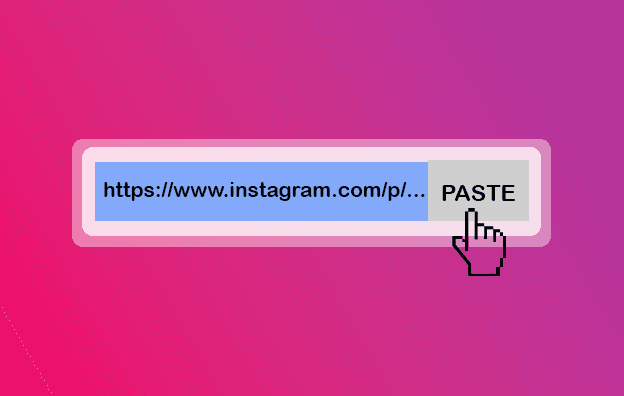
Copy the link to the photo or post, paste it into the box above and download the image in one click. It works on Android, iPhone, Windows and Mac without any app or sign-up.
How to download an Instagram photo in 3 steps
- 1
Copy the photo link
Open the Instagram post, tap the (•••) menu and choose “Copy link”.
- 2
Paste the link
Paste the link into the input field at the top of this page.
- 3
Save the image
Press Download to save the photo to your device in full resolution.
Why use our Instagram photo downloader
Full resolution
Images are saved in the highest quality Instagram stores for that post.
Single or multiple
Download one photo or every image from a multi-photo post.
No watermark
Photos are saved as clean JPG files with no added branding.
Free & anonymous
No login, no app and no limit on how many images you save.
Instagram Photo Downloader — FAQ
Can I download Instagram photos in full quality?
Yes. Photos are saved in the original resolution that Instagram stores for the post.
Can I download a profile picture?
Yes. Paste the profile link and you can save the account's profile photo in high quality.
What format are photos saved in?
Photos are downloaded as standard JPG image files that open on any device.
Do I need to install anything?
No. The photo downloader runs in your browser with nothing to install.
Can I download photos from private accounts?
No. Only photos from public Instagram accounts can be downloaded.
More Instagram download tools
Instagram Video Downloader
Instagram is full of videos worth keeping — tutorials, recipes, travel clips and IGTV uploads.
Instagram Reels Downloader
Reels are the most shared format on Instagram, and our Instagram reels downloader lets you keep the ones you love in crisp HD MP4 — without the watermark.
Instagram Story Saver
Instagram stories disappear after 24 hours, but our Instagram story downloader lets you keep them for good.
Instagram Carousel Downloader
Carousel posts — also called albums or galleries — bundle several photos and videos into one swipeable post.
So funktioniert es
Nur drei einfache und schnelle Schritte zum Herunterladen einer Instagram-Story

Funktionen des Instagram-Downloaders
Instagram ist eine Social-Media-Plattform, auf der Nutzer Stories posten und mit ihren Followern teilen können. Ähnlich wie bei Snapchat können auch Highlights erstellt werden. Unsere Website ermöglicht das Herunterladen von Instagram-Stories mit nur einem Klick!
Beitrags-Downloader
Wenn Sie Bilder von Instagram speichern möchten, ist iSaver ein großartiges Tool dafür. Ob ein einzelnes Foto aus einem Beitrag oder mehrere Bilder aus einem Karussell – mit iSaver geht das Herunterladen schnell und einfach.


Story Downloader
Möchten Sie Ihre Lieblings-Stories behalten, auch wenn sie verschwinden? Unser Instagram Story Downloader ermöglicht das einfache Speichern, Anzeigen und Wiederverwenden – ohne App, nur ein paar Klicks!
Video Downloader
iSaver wurde entwickelt, um Instagram-Videos für jeden Zweck herunterzuladen. Ob einzelnes Video oder mehrere Clips aus einem Karussell – iSaver macht’s möglich.

Reels Downloader
Reels ist ein neueres Videoformat auf Instagram, ähnlich wie TikTok. Mit dem Reels-Downloader von iSaver können Sie Ihre Lieblings-Reels ganz einfach speichern und jederzeit anschauen.
Karussell Downloader
Instagram-Karussellbeiträge – auch bekannt als Alben oder Galerien – ermöglichen es Nutzern, mehrere Fotos, Videos oder beides in einem einzigen Beitrag zu teilen. Wenn Sie mehrere Bilder aus einer solchen Galerie speichern möchten, ist iSaver das perfekte Tool: einfach, schnell und zuverlässig.


Profil Downloader
Die Profil-Viewer-Funktion auf unserer Website zeigt Ihnen, wer mit Ihrem Instagram-Profil interagiert oder es möglicherweise ansieht. Obwohl Instagram diese Funktion nicht offiziell anbietet, bietet unser Tool Einblicke auf Grundlage verfügbarer Interaktionsdaten. Geben Sie Ihren Instagram-Link ein und probieren Sie es aus.

iSaver does not host any videos on its servers. All videos that you download are hosted on Instagram's CDNs. iSaver is a Social Media Services website and is not associated by any means to Meta or the Meta brand and doesn't have anything to do with Meta Platforms, Inc.
© 2020–2025 reelstorysaver.app. Alle Rechte vorbehalten.